 On the App Store
iPhone · Apple Watch
On the App Store
iPhone · Apple Watch
Everything
you're working
toward, in
one place.
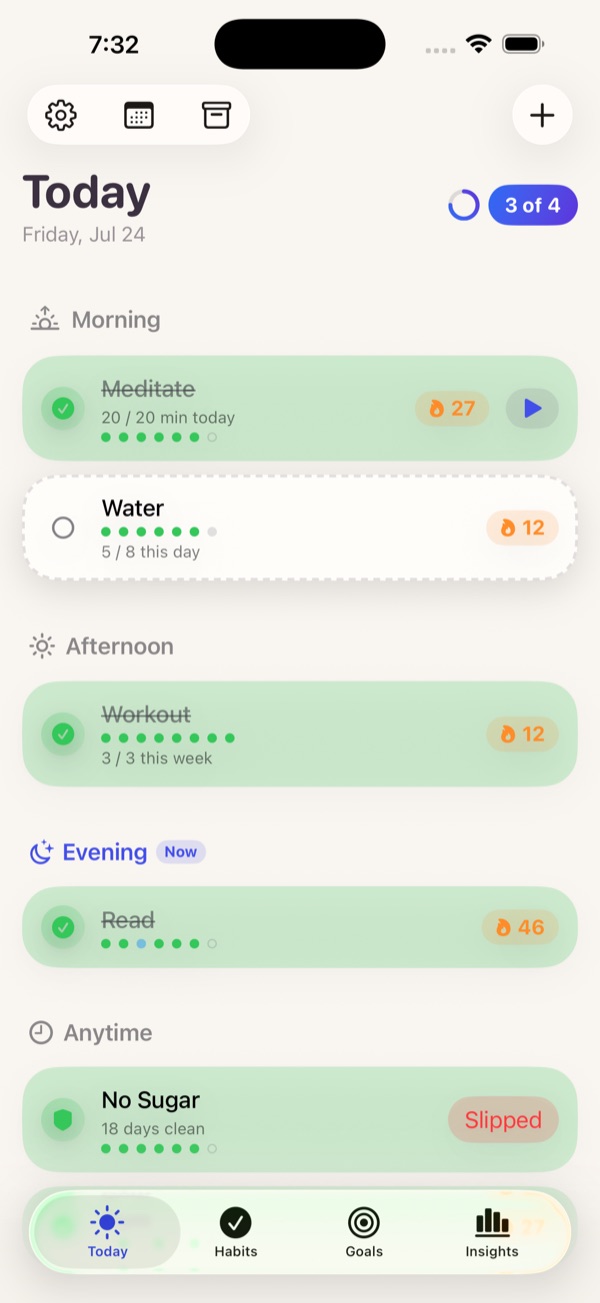
Daily habits, running totals, targets by a date, and one-time resolutions — with streaks and insights that never leave your device.
the habit above
However you actually think about progress, one of these fits it.
Four ways to trackDaily Habit
The classic streak. Flexible frequencies, specific weekdays, rest days that don't break it, and quit-habit tracking that counts the days you stay clean.
Running Total
Count something up — miles, pages, glasses of water, dollars saved. Log it in a couple of taps and watch it add up.
Target by Date
"Read 12 books by December." Onward does the pace math and tells you, honestly, whether you're ahead, on track, or behind.
Resolution
A one-time goal with no schedule — "update my will," "plan the trip." Track it as a checkbox, a percentage, or a checklist, with an optional due date.
Twelve weeks, and the gaps you can see.
Onward's heatmap is the whole history at a glance. Rest days don't break a streak and flexible frequencies give you room — but a missed day stays a missed day.
Tap the squares to see how the numbers move.
Your history becomes feedback.
Streaks · heatmap · trends · weekly review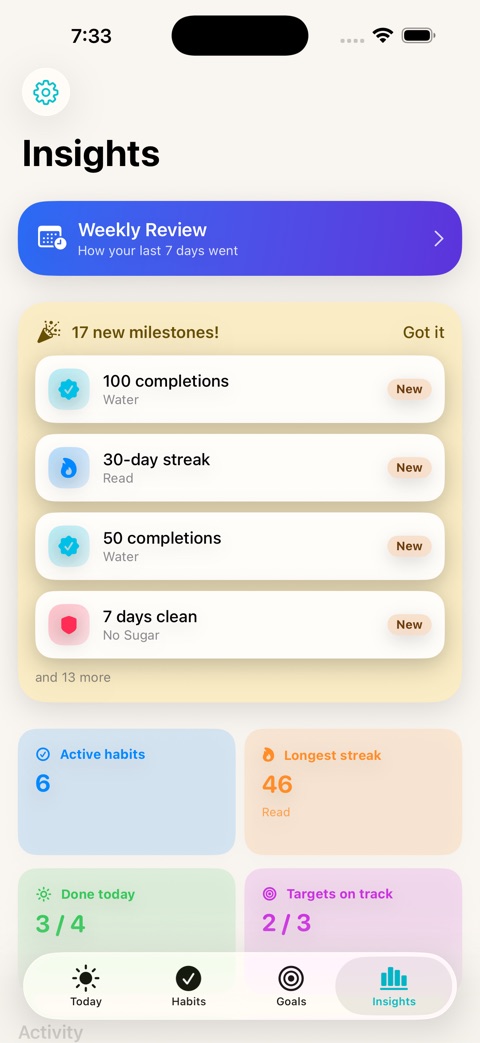
Insights
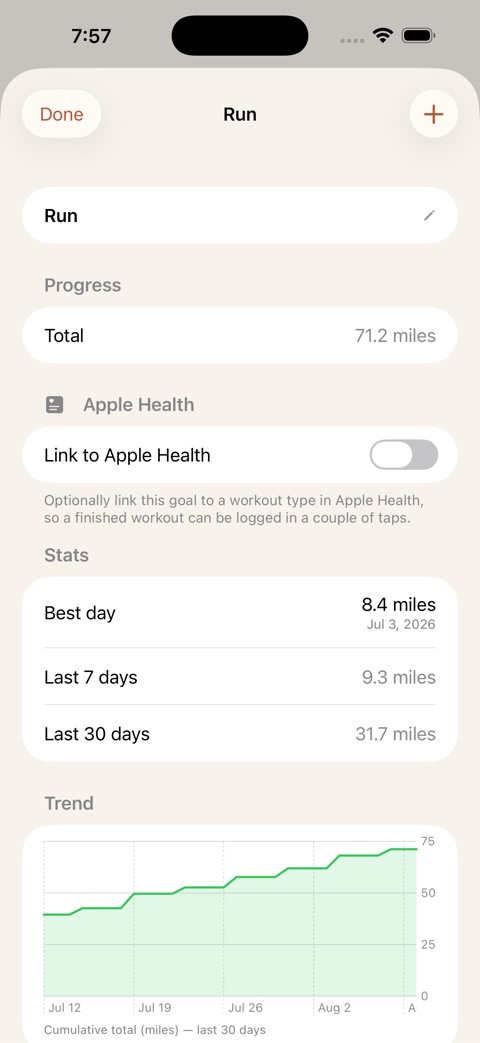
Running totals
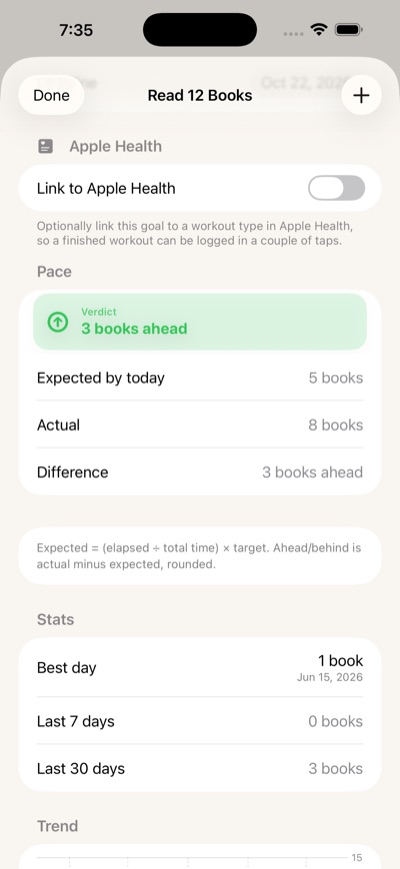
Pace
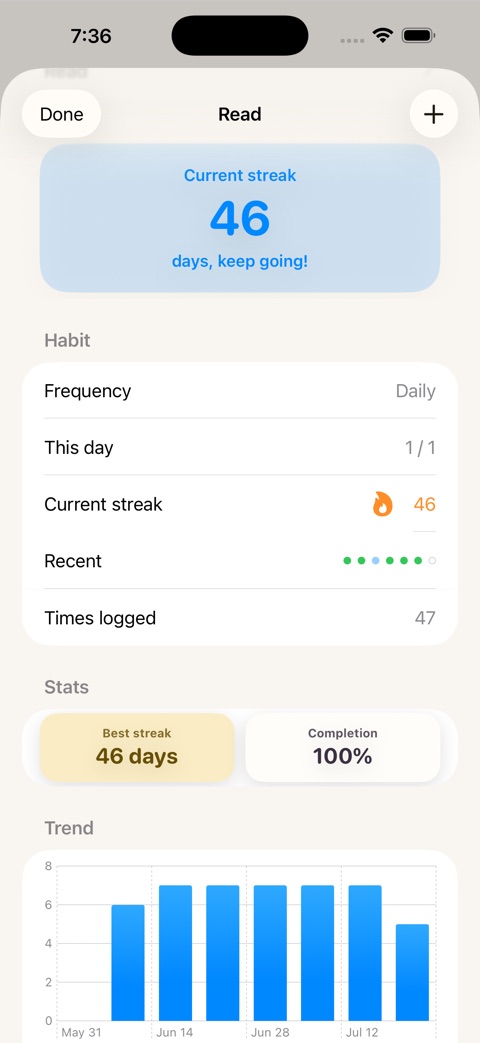
Streaks
Today
Local-first, by design.
Your data lives on your device — no account, no sign-in, no analytics, no ads. The App Store privacy label says it plainly: Data Not Collected.
I'm TJ. I live in Maryland, I work in corporate IT, and I build these apps at night and on weekends.
Onward was the first. Every tracker I tried wanted an account before it would let me count a run, so I made the one I wanted — one of five apps that hold the things you'd rather not hold in your head.
Free to start. Pro when you're ready.
$9.99 one-time unlock · no subscriptionAlready using Onward? You keep everything for free, permanently — thanks for being an early user.
Timed habits and a built-in timer for deep work.
As many as you need per habit, grouped by time of day.
Add a note and a mood tag to any entry.
A complete history you can edit and backfill.
Log habits and check streaks right from your wrist.
Looks right, day or night.
Is Onward free?
The free tier is fully capable: all four goal types, iCloud sync, Apple Watch, and up to 5 active goals, no account required. Pro is an optional one-time unlock, not a subscription.
I was already using Onward — do I have to pay?
No. If you were using Onward before Pro launched, you keep everything for free, permanently, as a thank-you for being an early user.
Do I need an account?
No. There's no sign-in of any kind. Onward works the moment you open it.
Does Onward collect my data?
No. Onward has no servers, no analytics and no third-party SDKs. Its App Store privacy label reads "Data Not Collected."
Can I sync across my devices?
Yes, via your own private iCloud account. Onward never has access to that data.
Running Total vs. Target by Date — what's the difference?
Running Total just adds up what you log. Target by Date does that plus a deadline, and calculates whether you're ahead, on pace or behind.
What happens if I miss a day?
Depends on the habit. Rest days don't break a streak, flexible frequencies give you room, and quit-habits simply restart the clean-day count.
Start with one habit today.
Free to download, no account, and the Watch app is included. Pro is a one-time $9.99 unlock if you outgrow five goals.